

Appearance
Discord

Discord failure alerts via webhook
Post failure alerts into a Discord channel using an Incoming Webhook. SendGrail formats them as red-sidebar embeds with the recipient, subject, error, and timestamp.
Prerequisites
- A Discord account.
- A Discord server you own, or one where you have Manage Webhooks permission.
- WordPress admin access.
Step-by-step
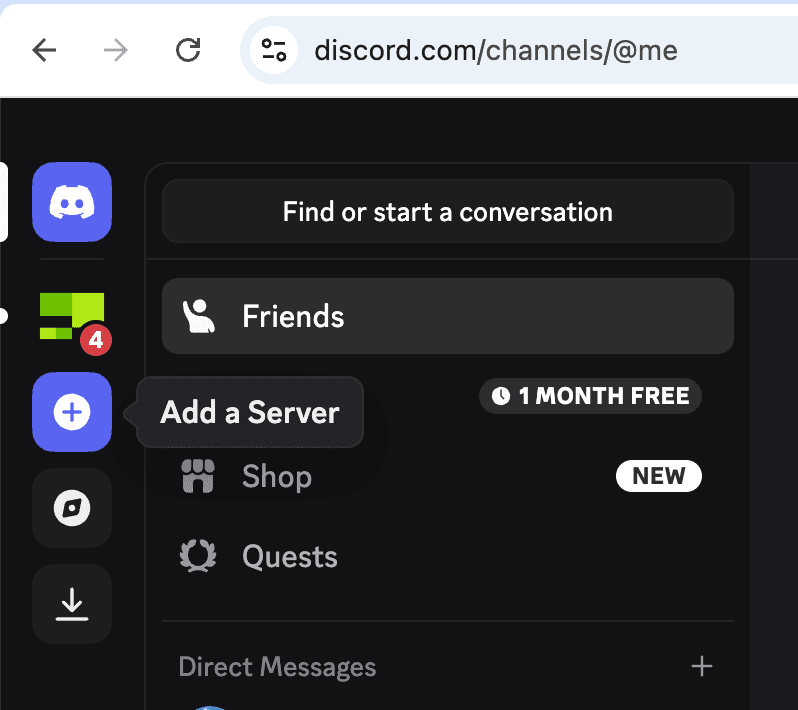
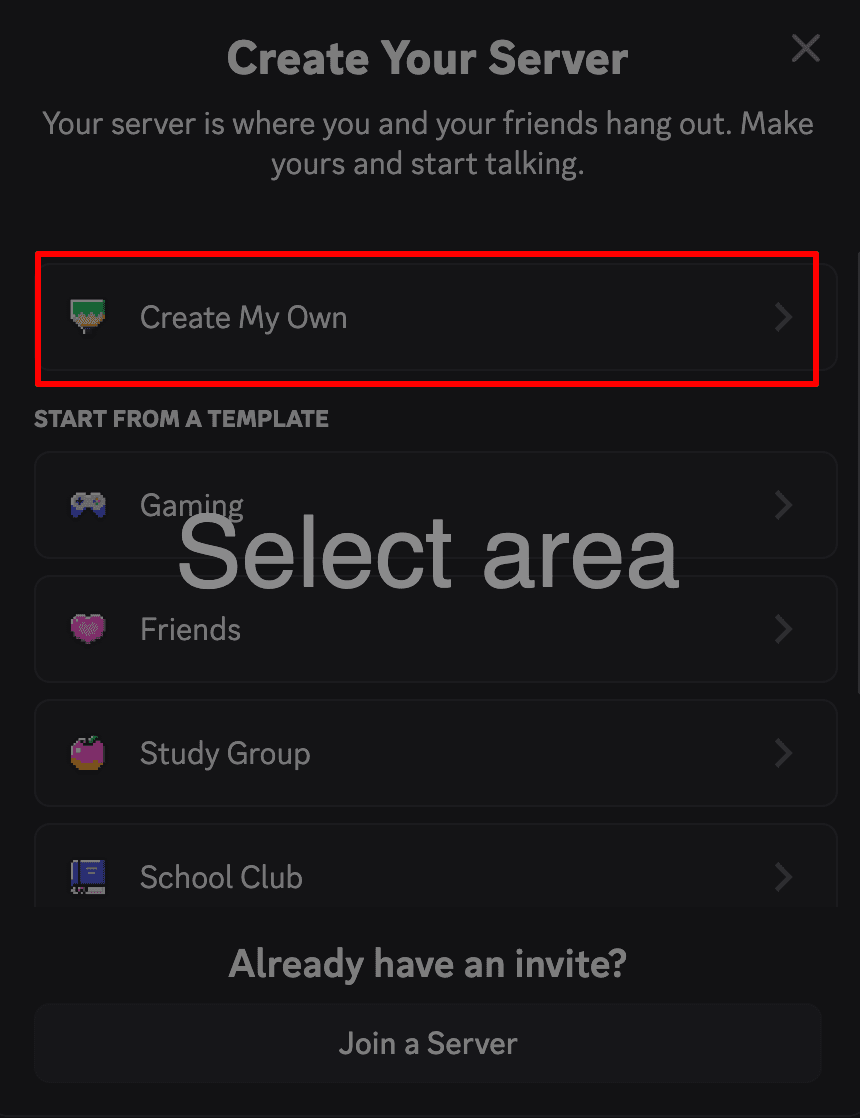
Open Discord and click "Add a Server"
In your Discord client (web or desktop), look at the left sidebar of servers and hover the + icon below your existing servers. The tooltip says Add a Server.
Already have a server?
You can post to any existing server you have Manage Webhooks permission on — skip steps 2–5 and jump to step 6 with that server selected.
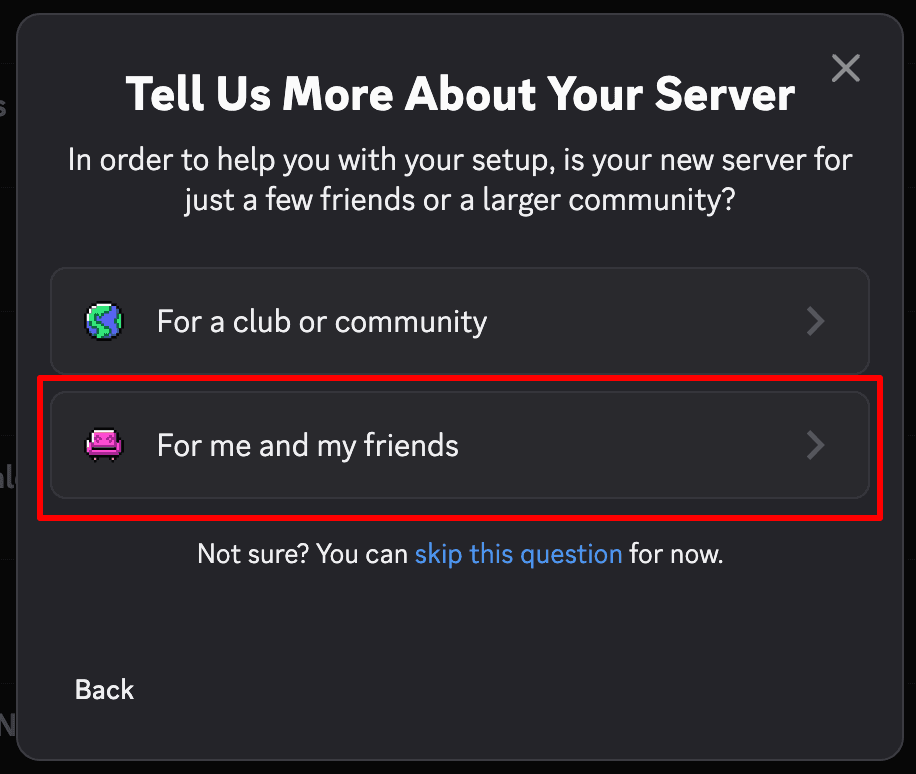
Choose "For me and my friends"
The next prompt is about server scale. Pick For me and my friends (or skip this question — Discord uses it only for default channel templates).
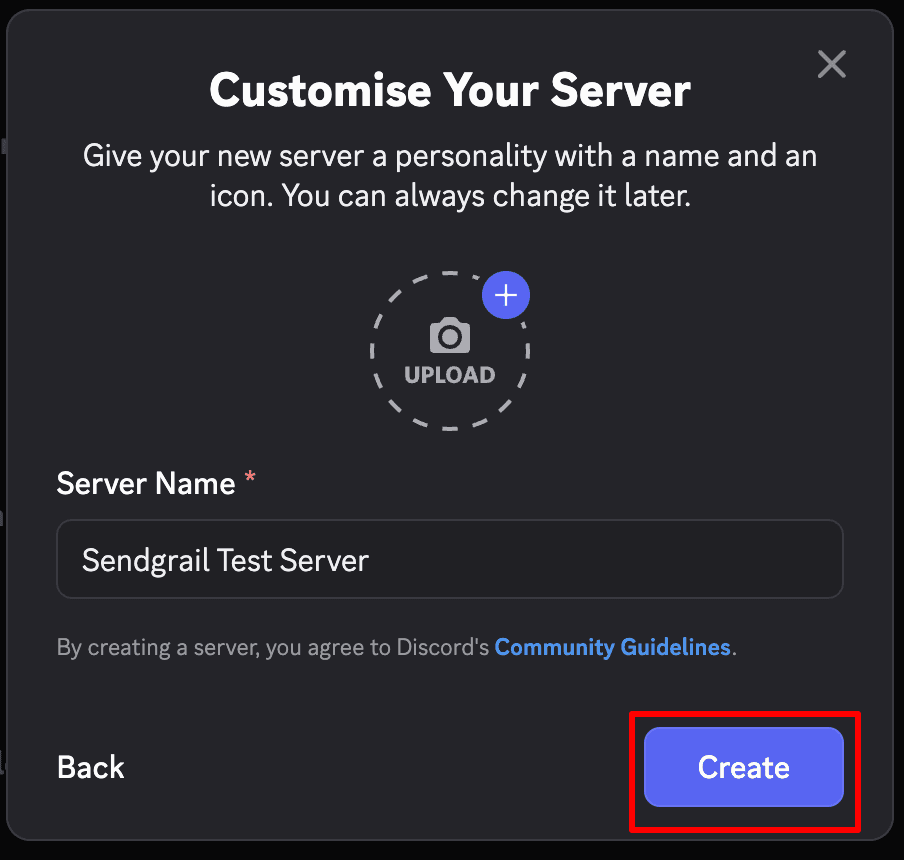
Open the server
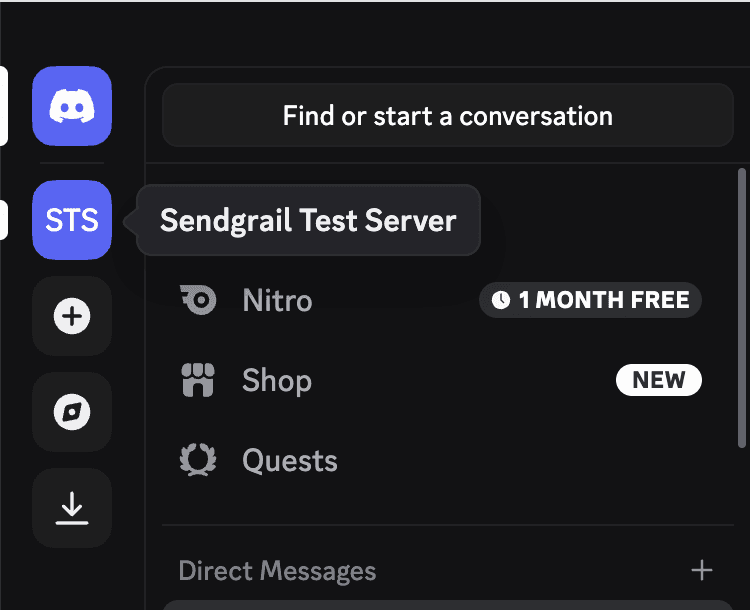
The new server appears in your sidebar (STS icon for Sendgrail Test Server). Hovering shows the full name.
Open Server Settings
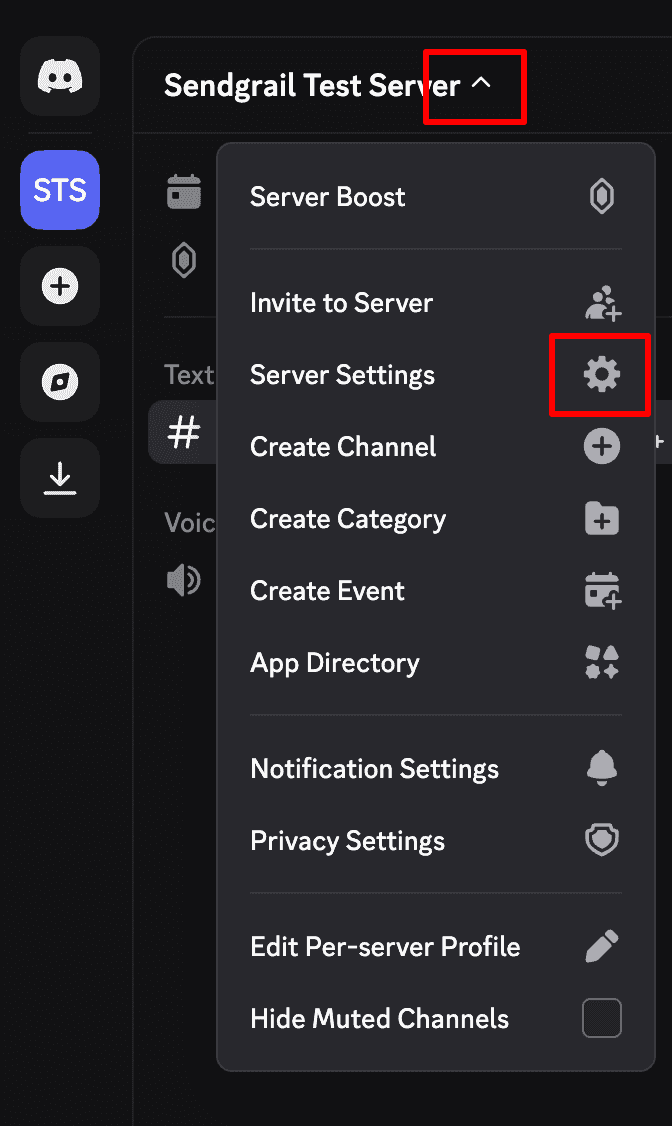
Click the server name at the top of the channel list to open the server menu. Pick Server Settings (gear icon).
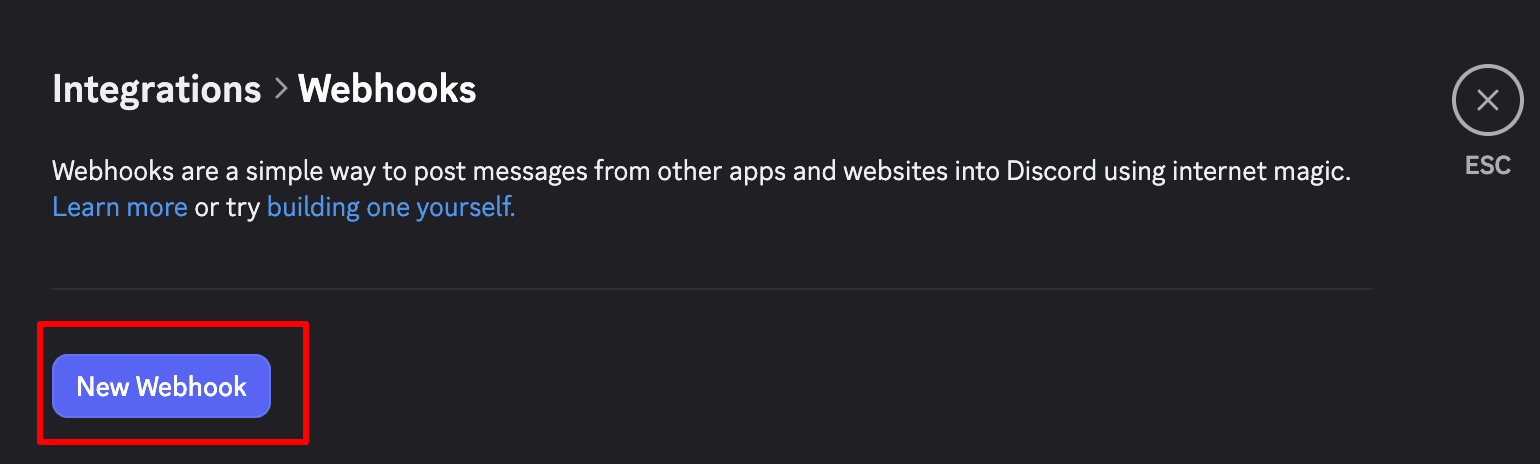
Open the new webhook
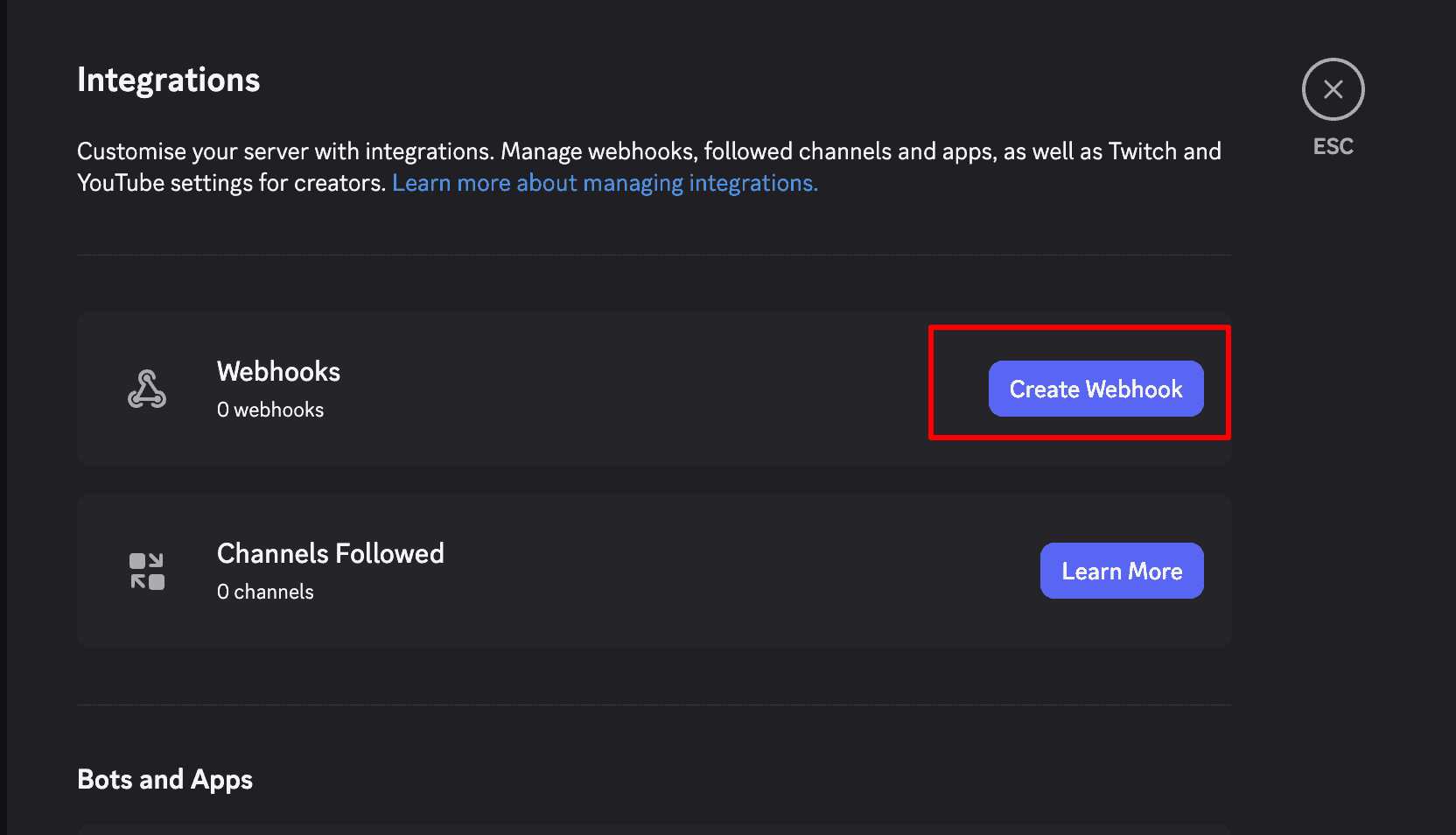
Discord auto-creates a webhook with a random name (e.g. Captain Hook) posting to #general. Click the chevron on its right to expand details.
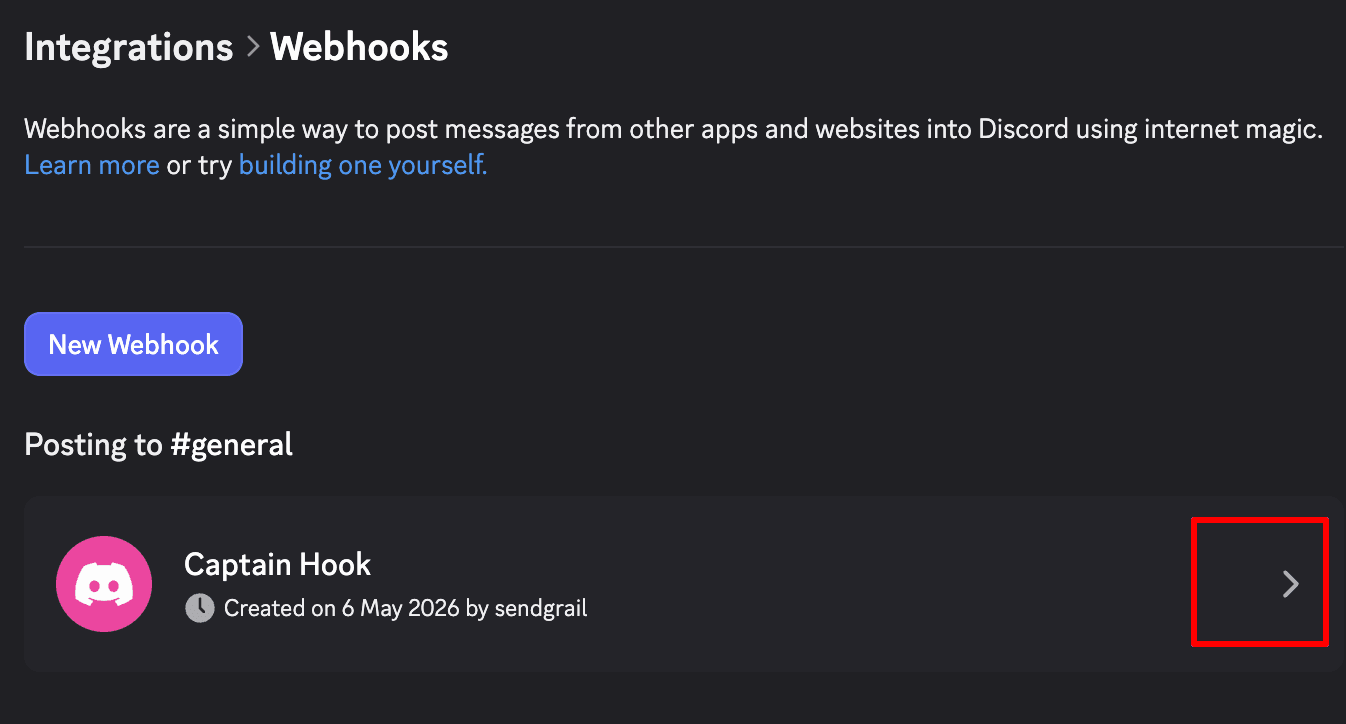
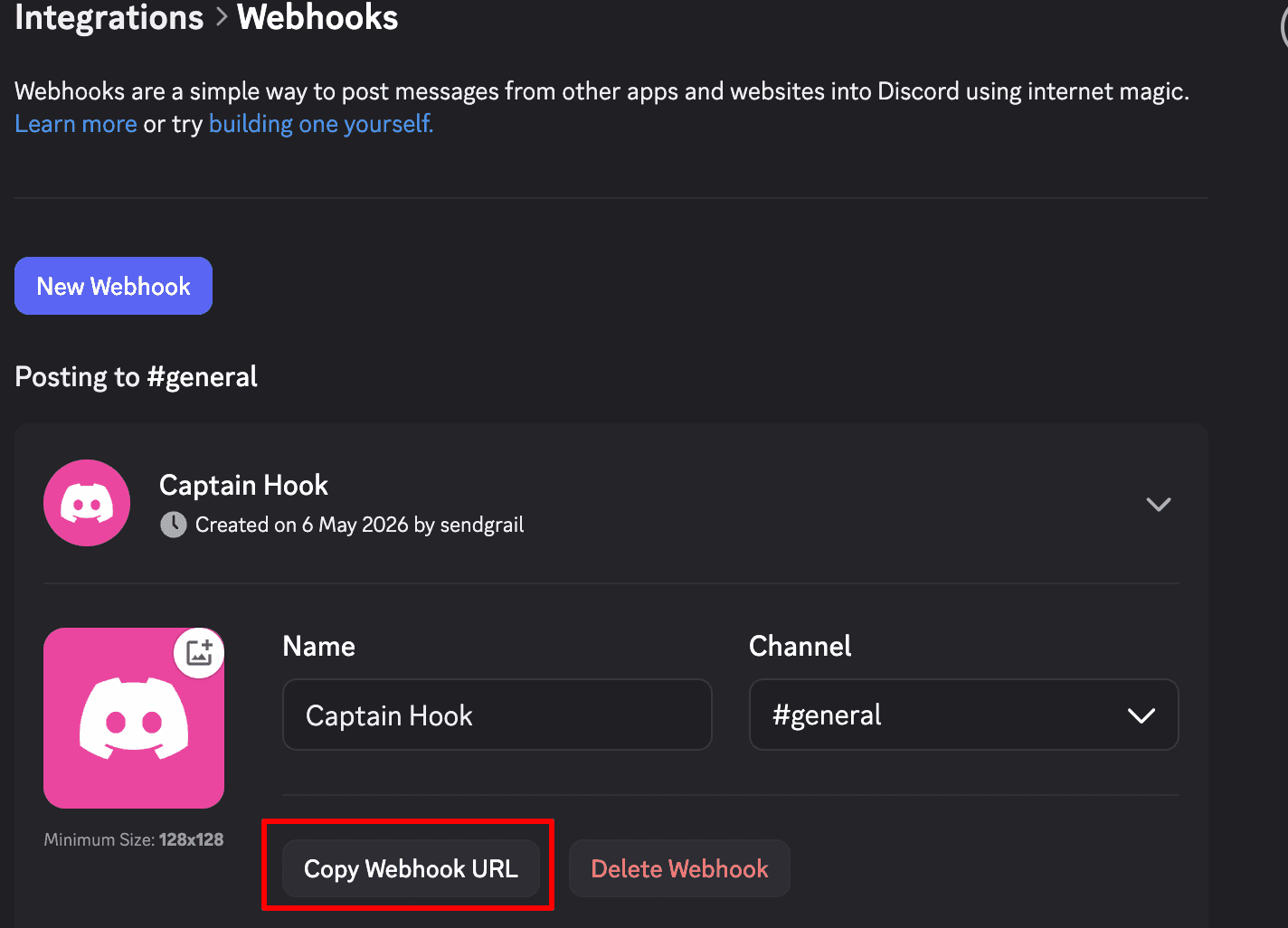
Copy the Webhook URL
Optionally rename it (e.g. SendGrail Alerts) and pick a different channel. Click Copy Webhook URL — keep this URL safe; anyone with it can post to your channel.
Paste it into SendGrail
WordPress admin → SendGrail → Settings → Notifications → Discord. Toggle Enable Discord alerts on, paste the webhook URL into Discord Webhook URL, and click Save.
Click Send Test to fire a sample alert into your Discord channel.
Troubleshooting
Invalid Webhook Token or 404
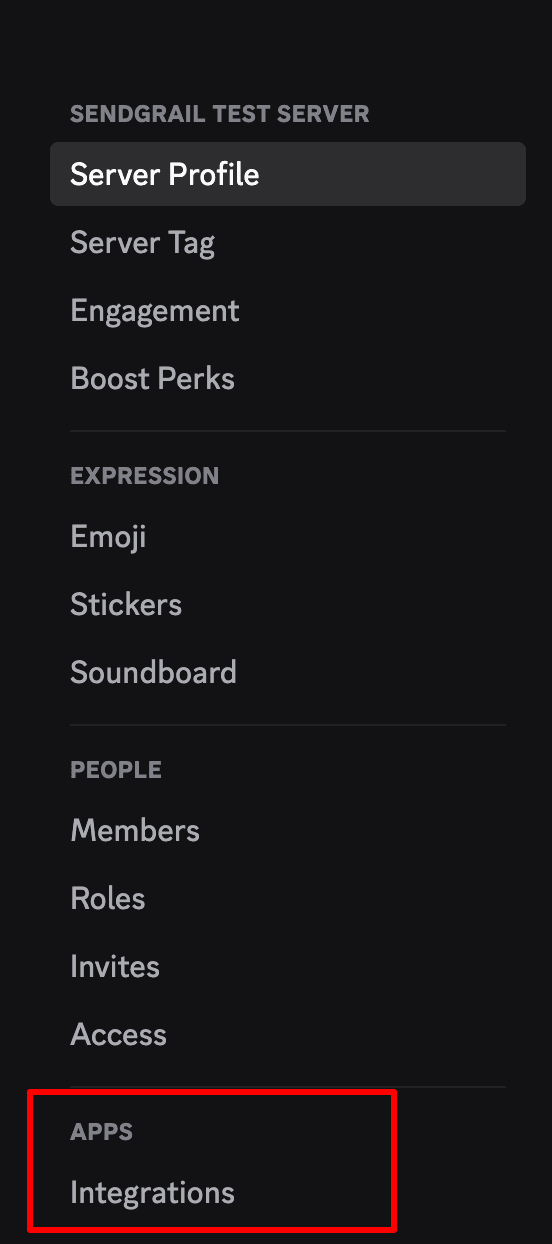
The webhook was deleted from Discord's Integrations page, or the URL was truncated when copied. Re-copy the URL from Discord (Server Settings → Integrations → Webhooks) and re-save in SendGrail.
Alert posts but with no embeds
Your channel has the Suppress Embeds permission set for the webhook. Open the channel's permission settings and grant Embed Links to the webhook.
Unknown Channel / 10003
The channel the webhook was attached to was deleted. Re-create the webhook against an existing channel and update SendGrail with the new URL.
Rate limited
Discord webhooks accept ~30 messages per minute per webhook. If your site is bouncing emails fast, you'll see HTTP 429 responses. Either fix the underlying delivery problem or move that channel to email/Telegram alerts which have higher limits.
What's next
- Slack — same idea on Slack.
- Telegram — bot-based alerts on Telegram.
- Failure Alerts overview — how email + chat alerts work together.